How much is left
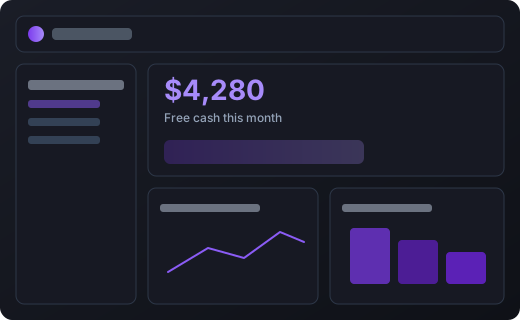
The overview shows what stays in your pocket this month after loans and planned payments.
 CashAfter
Enter your income, bills, subscriptions and taxes. CashAfter shows how much free cash you’ll have each month and warns you about tight months ahead of time.
No card required · cancel anytime
No bank connections, no spreadsheets. Three steps and your whole year is in front of you.
Cash, cards, savings in any currency. Add your salary or client payments and when they arrive.
Rent, loans, subscriptions, taxes. Say how often they repeat and CashAfter lays them out month by month.
The calendar and overview show what’s left each month and where to be careful.
The overview shows what stays in your pocket this month after loans and planned payments.
Every loan, bill and tax on one timeline, two years ahead.
Upload a CSV, Excel, PDF or a photo of a statement - AI sorts every line into your categories, flags duplicates, you review and add in one go.
Netflix, the gym, software - see what they really cost per month and never forget to cancel one.
Set money aside for taxes and reserves automatically: a fixed amount or a share of your income. Ready-made templates for your country included.
Wallets in different currencies are counted separately, with no automatic conversion.
Run one budget together with your partner or family.
You enter the data yourself, no bank access needed. Everything stays under your control.
Smooth out irregular income and know which months will be tight before they arrive.
Plan a shared budget together and keep upcoming loans and bills in one place.
Separate planned taxes, subscriptions, and recurring payments from your free cash.
Hold and plan in several currencies at once without messy auto-conversion.
| Feature | Free | Pro |
|---|---|---|
| Wallets & multi-currency | ✓ | ✓ |
| Transactions, categories, reports | ✓ | ✓ |
| Payment calendar (24 months) | ✓ | ✓ |
| Regular payments | up to 5 | Unlimited |
| Tax & reserve rules | up to 3 | Unlimited |
| Shared workspace with family | - | ✓ |
| Automatic booking of regular payments | ✓ | ✓ |
| AI statement import | - | ✓ |
Friends you invite start with 14 days of Pro. When one of them subscribes, you get a month of Pro free - every time.
Get my invite linkI finally see which months will be tight - months before they happen.
We plan the family budget together now. Loans and bills no longer surprise us.
Tracking income in two currencies without auto-conversion is exactly what I needed.
Add your wallets, income and regular payments. CashAfter lays every payment out two years ahead and shows how much money stays free each month.
Yes. We never connect to your bank or store its login. You enter only what you want, and you can export or delete your data at any time.
Manual entry means no bank access and complete freedom to plan - including future income and payments the bank doesn’t know about yet. And on Pro you can import a statement with AI.
Yes. Wallets and transactions are tracked per currency with no automatic conversion, so balances and forecasts stay accurate.
On Pro you can invite your partner or family into a shared budget - handy for couples and families who plan together.
Yes, on Pro. Upload a CSV, Excel, PDF or a photo; AI recognizes the lines, assigns your categories and flags duplicates. You review the draft and add everything in one click. The file is deleted right after recognition.
Ten minutes to set up, and the next two years are right in front of you.
Start 7-day Pro trial